


Today's Hit Music Ringtones
4.56.41K Reviews
App Specs
- Version
- 6.5.68
- Updated On
- License
- Free
- Downloads
- 5,000,000+
- Developer
- Today's Ringtones Apps
- Categories
- Music & Audio
- Platform
- Android
Screenshots
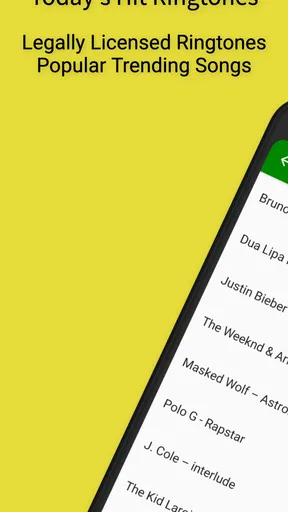
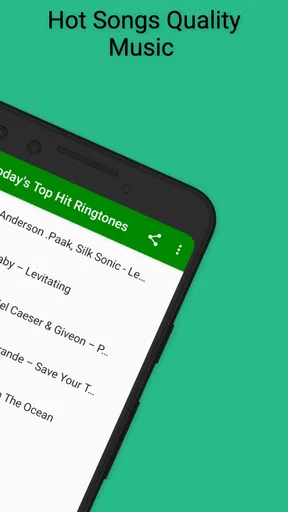
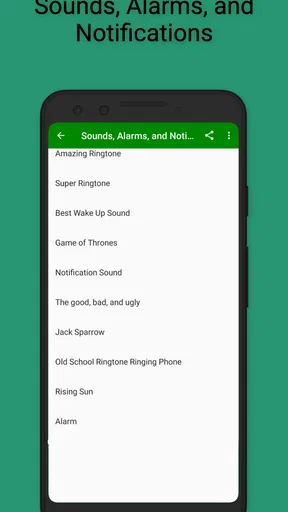
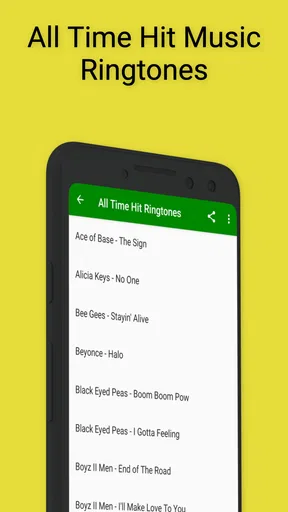
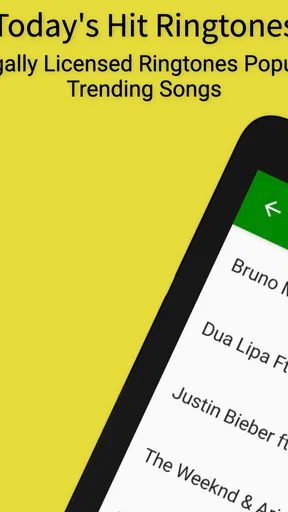
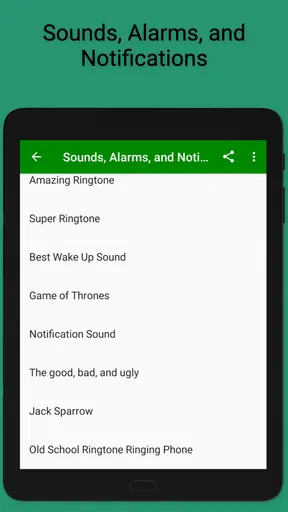
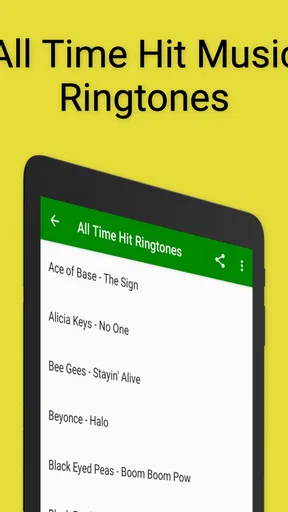
 Analysis by AppCompare
I tried Today’s Hit Music Ringtones as a straightforward way to give an Android phone a more personal sound, and my first impression was that it understands a very specific need: you want a recognizable music-based ringtone without spending time building one from scratch. It belongs to the Music & Audio category, is free to install, and is made by Today’s Ringtones Apps. The app’s focus is not general music listening; it is choosing sounds that can be used to personalize calls and other phone alerts.
That distinction matters. If you are looking for a full streaming service, a podcast player, or a tool for editing complete songs, this is not the right kind of app. If you want to browse hit-style ringtone choices and make your Android sound less ordinary, it is much more relevant. I found the experience easiest to judge when I treated it as a small personalization utility rather than as a music library.
What to expect before choosing a ringtone
The app has been available since November 9, 2013, and its long presence is reflected in its reach: it has passed five million installs, with an average rating of 4.5 from roughly thirty-six thousand ratings and about six thousand four hundred written reviews. Those figures suggest that the basic idea has found a substantial audience, although popularity does not remove the need to check whether its style suits you.
Its store summary presents the central promise clearly: hit music ringtones for personalizing an Android sound. In practice, that means the useful question is not “Can this replace my music app?” but “Can I find a sound here that I will actually recognize and enjoy hearing when my phone rings?” For a first-time user, keeping that expectation narrow makes the initial setup feel much less confusing.
The app is free, but it includes optional in-app purchases ranging from $1.99 to $6.99 per item. I would approach those options carefully rather than assuming every part of the experience is included without conditions. Start by exploring what is available at no cost, decide whether the sound selection and controls work for you, and only then consider paying for anything that genuinely improves your use.
It carries a Teen content rating, so it is not presented as a children’s soundboard. That is worth remembering if you are choosing an app for a shared family device. The current version is 6.5.68, and it supports Android 7.0 or later. Before installing, I would check the Android version on an older spare phone, because compatibility is the first practical hurdle and there is little value in planning a setup that the device cannot run.
Why it feels different from the usual alternatives
The normal alternatives are the sounds already included with Android, a song you manually edit, or a larger music service that was never designed to manage phone alerts. Built-in tones are quick but familiar. Editing your own audio gives you control, but it also adds steps and usually requires finding a suitable file, trimming it, and placing it where the phone can use it. A streaming app may offer plenty of music, yet it is not automatically a ringtone manager.
Worth Reading Before You Choose

EA SPORTS FC Mobile 26 Is a Bigger Football Game, but It Takes Time

Flipboard Shows What News Apps Must Do Beyond the Feed

Switching to Android Auto Means Rethinking Your Driving Routine

Google Calendar Makes a Crowded Week Easier to Manage

Ludo King Makes the Most of the Minutes Between Plans

Baby Panda World Brings Quick Play to Modern Phones, but Its Game Library Feels Busy
Today’s Hit Music Ringtones sits between those choices. It is more focused than a streaming service and less demanding than making a ringtone yourself. That is its strongest trade-off: you give up the precision of personal audio editing in exchange for a faster route to a music-oriented phone sound.
I would recommend it most to someone who changes phones or sounds occasionally and wants an easy starting point. It is also useful for a person who can never remember which default tone belongs to their own device. I would skip it if you need exact start and end points from a particular recording, want to import a private audio collection, or prefer a completely silent and distraction-free phone.
Getting through the first setup
After installing, I would begin with one simple goal: find one sound that is easy to identify in a noisy room. It is tempting to browse everything immediately, but that can turn a small task into an endless scroll. Listen to a few candidates, choose one with a clear opening, and treat that as your first test rather than trying to create a complete sound system for every notification.
The most important decision is the difference between a ringtone and a general alert. A call ringtone needs to hold your attention for longer than a short message sound, while an alert should usually be brief enough not to become irritating. If the app offers several kinds of personalization in the flow, read each label before confirming. Selecting a sound is only half the job; assigning it to the right type of phone event is what makes the result useful.
On Android, the final behavior can depend on the phone’s own sound settings. If you choose something in the app and still hear the old tone, do not immediately assume the selection failed. Open the device’s sound controls and check the active ringtone, notification sound, volume level, and any mode that could silence or change alerts. This is one of the most common points of confusion with ringtone tools: the app can provide the sound, while Android decides when and where it plays.
I also recommend testing with the phone unlocked and then checking it again with the screen off. A sound that seems pleasant during browsing may be too quiet in a pocket or too repetitive during a busy day. That small test prevents a frustrating situation in which you believe the phone is personalized, only to miss calls because the chosen tone is not distinctive enough.
The first successful action should be deliberately small
For a first-time user, success should mean assigning one ringtone and hearing it work, not customizing every possible alert. Browse the music choices, select a candidate, apply it to incoming calls if that option is available in your flow, and then place a test call from another phone. If you do not have another phone nearby, use whatever safe calling method is available to you, then return to the system sound settings to verify the selected tone.
This test reveals more than simply whether audio exists. You learn whether the sound begins clearly, whether its volume is suitable, and whether the phone’s current mode allows it to play. I prefer a tone with an immediately recognizable opening over one that takes a while to become noticeable. That is a practical advantage in everyday use, especially when the phone is in another room.
A useful workflow is to keep one dependable ringtone for calls and reserve more unusual choices for occasional changes. Constantly switching sounds can make the phone feel fresh, but it can also make you hesitate when a call arrives because the signal no longer feels familiar. The app works best when it helps you create a small, intentional change rather than encouraging endless adjustment.
Another non-obvious consideration is social context. A dramatic music ringtone may be enjoyable at home but awkward in a meeting, classroom, waiting room, or public transport. Before judging a sound, imagine hearing it in those places. If you often move between quiet and noisy environments, choose something recognizable without being overly intrusive, then use Android’s volume or silent controls when circumstances require it.
Where new users can get confused
The phrase “music ringtones” can lead people to expect full songs or a complete catalog of recordings. I would not approach the app that way. Its practical value is the ready-to-use ringtone experience, not the depth of a service built for listening through albums. If you want to spend an evening listening to artists, this app is likely to feel limited compared with a dedicated music platform.
Another possible misunderstanding concerns ownership and customization. Choosing a sound inside a ringtone app is not the same as editing a song you own. If you need a very specific chorus, a custom voice recording, or a precise clip from a personal file, a dedicated audio editor or the phone’s file-based ringtone tools may be better. This app saves time by narrowing the task, but that convenience also means less control over the exact audio result.
Purchases can create a second moment of hesitation. Because the app is free while offering optional items priced from $1.99 to $6.99, I would not tap a purchase button simply because a sound looks appealing. First confirm that the item is something you can use as intended and that it solves a real problem for you. For many people, a free choice will be enough; for others, paying may be reasonable if it provides a preferred option. The important point is to make that decision after testing the basic workflow.
If a chosen tone does not appear to work, check the phone’s active audio profile before reinstalling anything. Silent mode, vibration-only settings, a low ringtone volume, or a different sound assigned by Android can all make a successful selection seem invisible. I find this troubleshooting order more sensible than repeatedly browsing the app, because it separates a selection problem from a device-setting problem.
There is also a difference between changing the sound and making the phone easier to identify. A new ringtone may personalize the device, but it will not necessarily help if several people nearby use similar music-based tones. In that situation, the better choice is a distinctive sound with a clear beginning, even if it is less fashionable than the first option you notice.
Making the next change worthwhile
Once the first ringtone works, I would use the app selectively. Change the main call sound only when you have a clear reason, such as wanting a quicker-to-recognize tone or refreshing an old default. If you experiment, keep notes mentally about which choices are too quiet, too long, or too attention-grabbing. That turns browsing into useful personalization instead of random switching.
A good second step is to compare the app’s convenience with your own tolerance for control. If you value speed and prefer choosing from prepared music-oriented options, staying with this app makes sense. If you find yourself wishing you could cut a particular section, adjust loudness, or use a recording from your own collection, that is a sign that an editor or the phone’s built-in file selection may fit you better.
I would also keep expectations realistic about updates and device behavior. The app has a current version of 6.5.68, but Android phones can still present sound settings differently depending on the manufacturer and system interface. The same selection may be easy to apply on one phone and require an extra visit to system settings on another. That is not a reason to dismiss the app, but it is a reason to judge the complete process on your own device rather than relying only on the browsing screen.
For someone who wants a quick, recognizable musical ringtone without learning audio-editing software, Today’s Hit Music Ringtones is a sensible free starting point. I like its focused purpose and the fact that it avoids pretending to be a full music player. My main reservation is that users seeking detailed control, private audio imports, or a completely ad-free and highly customized workflow may outgrow it quickly, especially if optional purchases become part of the decision.
My recommendation is to install it with one modest objective: find a sound, assign it, and test it during a real call. If that process gives your Android phone the personality you wanted, the app has done its job. If you need exact clips or broader music functions, move to a more specialized alternative rather than forcing this focused tool to do something it was not designed for. The best result comes from treating it as a practical ringtone picker, not as a replacement for your everyday music app.
Pros
- Large collection of current pop
- hip-hop
- and dance ringtones
- Simple interface makes finding and previewing tones quick
- Ringtones can be downloaded for easy offline use
- Frequent music updates help keep the selection feeling fresh
- Works well for customizing calls
- alarms
- and notification sounds
Cons
- Some popular tones may require in-app purchases or premium access
- Audio quality can vary noticeably between different ringtone files
- Advertising may interrupt browsing and downloading
- The app may request permissions users consider unnecessary
- Availability of songs can differ by region or change over time
FAQs for Today's Hit Music Ringtones
What is Today’s Hit Music Ringtones?
Today’s Hit Music Ringtones is a ringtone customization app that provides a collection of popular-sounding music clips, notification tones, alarms, and other audio options for your Android or iOS device. After browsing the available categories, you can preview sounds and choose favorites for different contacts or alert types. Availability and exact features may vary depending on your device and operating system.
Is Today’s Hit Music Ringtones free to download and use?
The app may be available as a free download, but some sounds, categories, or customization tools can require in-app purchases or a subscription. Before confirming installation or payment, check the app store listing for its current pricing, trial conditions, and billing details. It is also worth reviewing whether the free version includes advertising or limits the number of downloads and saved tones.
Can I set these sounds as ringtones, text alerts, or alarms?
The app is designed for selecting music-based sounds for calls, notifications, and alarms, but the setup process differs between Android and iOS. Android generally allows more direct ringtone assignment from downloaded audio files, while iPhone users may need to export a tone and complete the setup through Apple’s supported ringtone workflow. Device permissions and system restrictions can affect which options are available.
Does Today’s Hit Music Ringtones include copyrighted songs?
Some music-style ringtones may resemble or contain recognizable portions of commercially released songs. You should check the app’s licensing information and terms before using a tone publicly, especially for business devices or content shared online. The safest approach is to use sounds that the developer clearly identifies as licensed, royalty-free, or created specifically for ringtone use.
What permissions and privacy information should I check before installing it?
Before downloading Today’s Hit Music Ringtones, review the permissions requested by the app and compare them with its main purpose. Access to audio files or device settings may be needed to save and apply tones, while unrelated requests deserve closer attention. Also read the store’s privacy section to learn whether usage data, advertising identifiers, or personal information may be collected or shared.


